
Channels overview
A channel is where customers reach your business. Learn which channels you can connect to DinamisAI and when to use each one.
On this page
Every customer message arrives through a channel. All connected channels flow into one place, Conversations, so your team and AI agent reply from the same screen wherever the message came from.
Channels you can connect
| Channel | Best for |
|---|---|
| WhatsApp Business | Everyday conversations with customers, including template messages to reach out first |
| Live Chat | A chat button on your own website |
| Chat Page | A ready-made chat page, for businesses without a website |
| Questions and documents customers usually send by email | |
| Telegram | Customers who prefer to reach you on Telegram |
Choosing your first channel
- Your customers already chat with you on WhatsApp? Start with WhatsApp Business, so they keep using the app they already know.
- You have a website? Add Live Chat so visitors can ask without leaving the page.
- No website yet? Turn on Chat Page. You only share one link, for example in your social media bio or on a business card.
You can add more channels at any time. They all arrive in the same Conversations.
Adding a channel
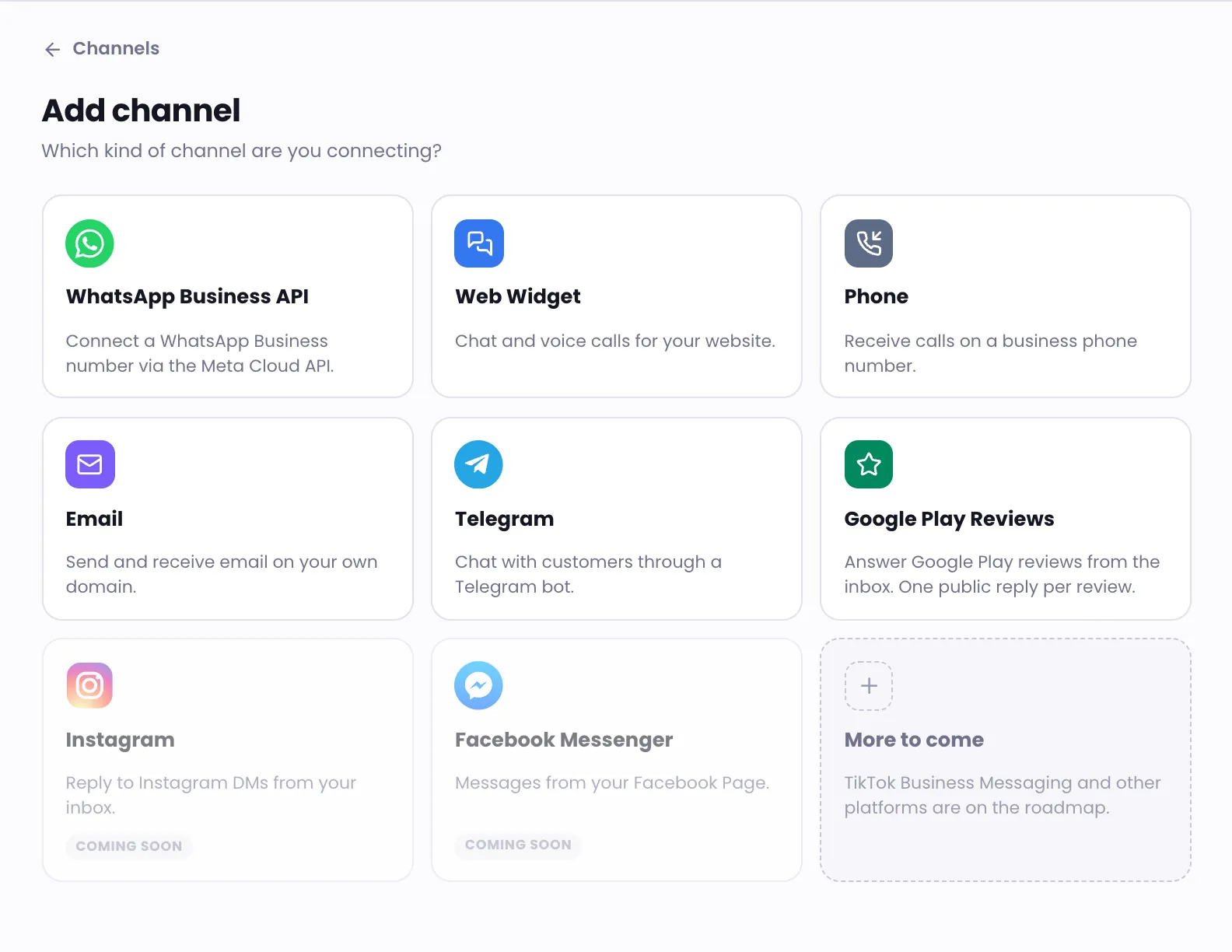
Open Channels, click Add channel and choose the channel type. Each type has its own step-by-step guide; click a channel name in the table above to open it.
What differs between channels
- WhatsApp Business has a 24-hour window: 24 hours after the customer's last message, you can only send template messages. See Reply to customers and Manage WhatsApp templates. Meta also gives your number a quality rating and a messaging limit; see WhatsApp number quality.
- Live Chat only loads on the website addresses you list when you set it up.
- Email sends your team's replies from your own business address and domain.
- Telegram uses a bot you create yourself in Telegram.
One customer, many channels
When the same customer reaches you on more than one channel, their history stays on the same contact, so your team can see earlier conversations. Manage contacts explains how DinamisAI recognises the same customer.
Was this article helpful?