
Connect WhatsApp Business
Connect your business WhatsApp number to DinamisAI so customer messages arrive in Conversations, ready for your team and AI agent.
On this page
What you need
- Access to Channels (usually the workspace owner or an admin)
- A Facebook account that manages your business portfolio
- A phone number that can receive an SMS or call for the verification code
- Time
- ~5 min
- Steps
- 6
A number that is still active in the WhatsApp Business app can't be connected this way yet. Use another number, or contact the DinamisAI team about other options.
Connect your number
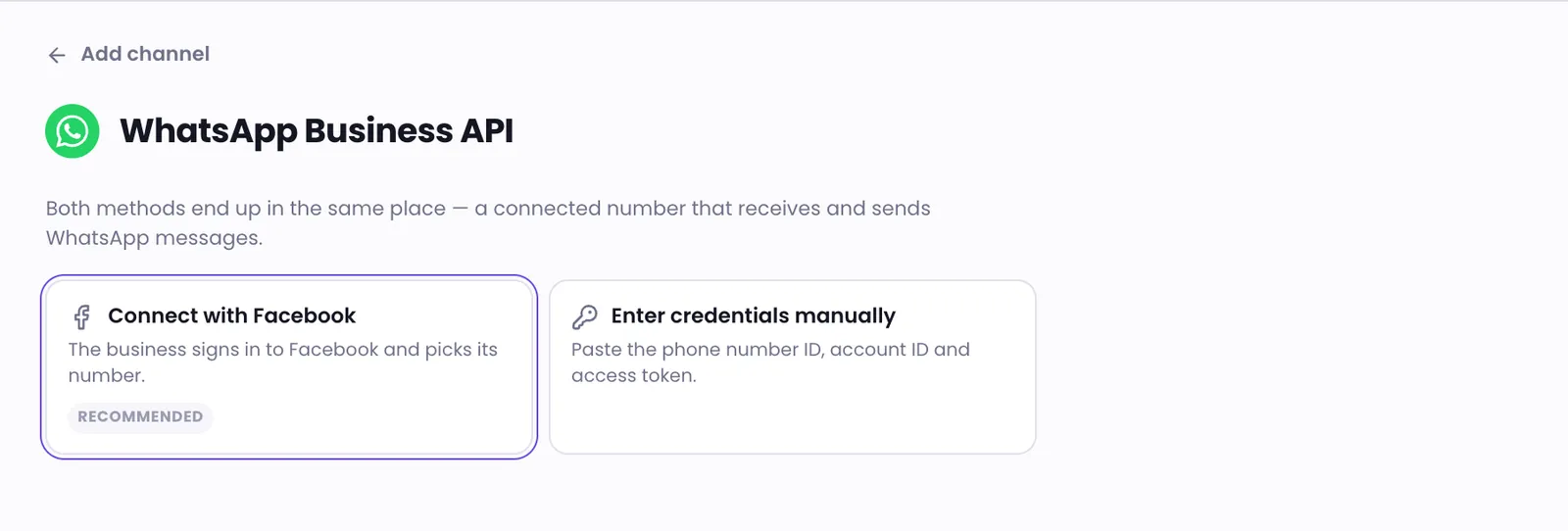
- Open Channels, then click Add channel.
- Choose WhatsApp Business API, then choose Connect with Facebook. It's marked Recommended.
- Click Connect WhatsApp and sign in with the Facebook account that manages your business.
- In the pop-up, choose or create a business portfolio and a WhatsApp Business Account. Add your number, then enter the verification code sent to it.
- Back in DinamisAI, click Activate number. Save the two-step verification PIN that appears, because it is shown only once.
- Click Finish, then choose Send a test message via wa.me to check that the message arrives in Conversations.
After you connect
New customer messages appear in Conversations right away, and your AI agent starts replying according to your workspace settings. A few things to know from day one:
- Templates come along. Approved message templates are copied to WhatsApp templates automatically. To create new templates, see Manage WhatsApp templates.
- The 24-hour window. You can reply freely for 24 hours after the customer's last message. After that, only template messages can be sent. Reply to customers explains it.
- Number quality. Meta gives your number a quality rating and a messaging limit. Track both, and how to protect them, in WhatsApp number quality.
- Your team can take over. Team members can reply themselves at any time and hand the conversation back to the AI. See Take over a conversation from the AI.
Troubleshooting
The pop-up closed before I finished
Nothing was connected, so it's safe to start again from step 1.
The pop-up doesn't appear or stops loading
Office networks, DNS filters, or antivirus web protection sometimes block the Facebook sign-in. Try another network, such as your phone's hotspot, then try again.
The WhatsApp Business Account was created without a number
Add a phone number to that account, then click Connect WhatsApp again.
Was this article helpful?