
How the AI agent works
The AI agent replies to customers first, answers from your knowledge base, and hands the conversation to your team when a person is needed.
On this page
The AI agent replies to customers on behalf of your business. It works in the same conversations as your team, so every reply it sends shows up in Conversations, right next to your team's replies.
What the AI agent does
- Replies first. When a customer writes in on a channel the AI agent serves, it replies without waiting for a team member. Each channel belongs to a pipeline, and each pipeline names the AI agent that serves its conversations. The AI can also be switched on or off per channel.
- Answers from your knowledge base. For questions about your products, prices, or how things work, the AI agent looks up the answer in Knowledge base. You manage that content yourself, so the AI agent's answers change when you update a document.
- Hands over to your team. When a conversation needs a person, for example when the customer asks for one, is ready to buy, or needs help the AI agent can't give, the AI agent hands the conversation to your team. What counts as a reason to hand over depends on how your workspace is set up.
When the AI agent hands over
A handed-over conversation goes to your team as a piece of work. Depending on how your workspace is set up, it waits in Available work for someone to pick it up, or it goes straight to a team member, usually the person already handling that customer. The full history stays in place, so your team can carry on without asking the customer to repeat anything. That queue is explained in Available work and my work.
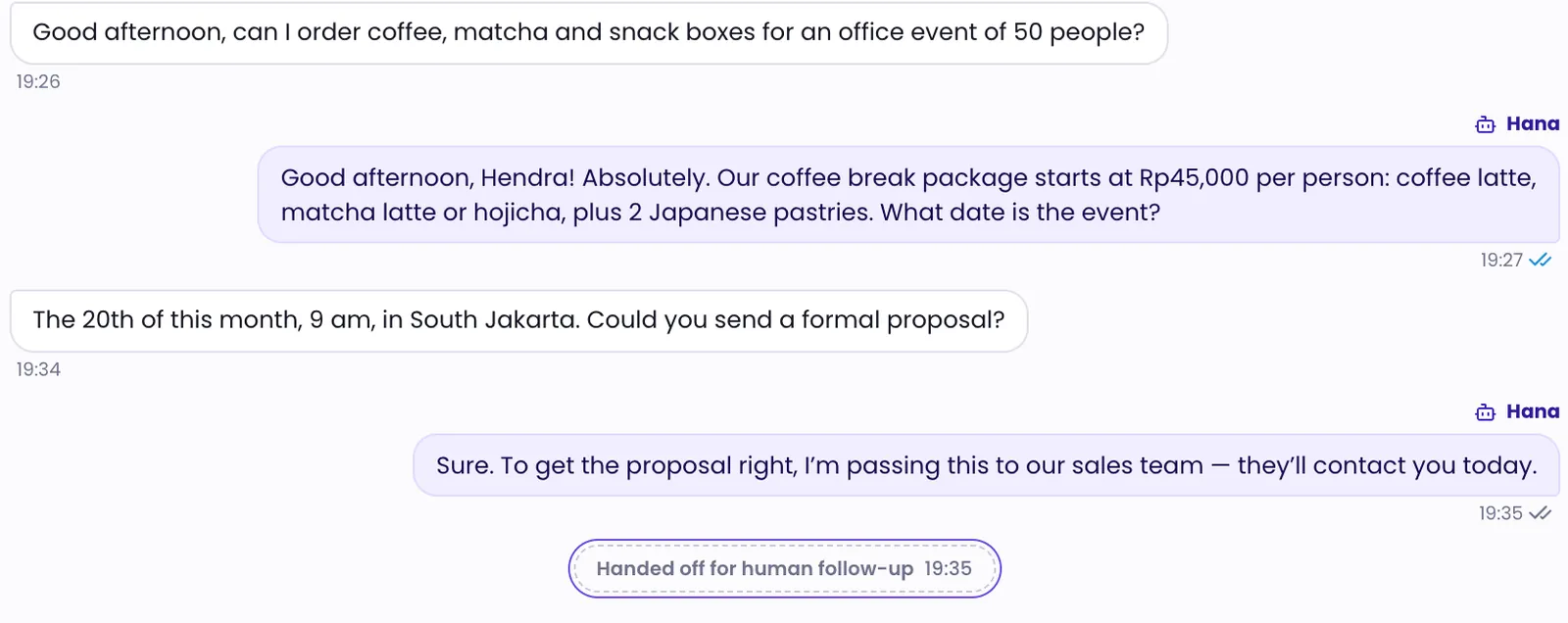
Your team can take over at any time
A team member can take a conversation over from the AI agent and hand it back when they're done. The conversation timeline records who took over and when the conversation went back to the AI agent. The steps are in Take over from the AI.
AI agents in your workspace
Open Agents to see the AI agents in your workspace. Each card shows the AI agent's status (Active or Draft) and the pipelines it serves. Click an AI agent to open its details. The tabs you see depend on your access:
- Versions — the AI agent's version history and the version that is live.
- Settings — persona and business facts, such as the agent's name, tone, business hours, address, greeting, and additional instructions. When you save changes, they're kept as a draft. The DinamisAI team reviews the draft and puts it live.
- Tools — the tools this AI agent is allowed to use.
- Knowledge — the parts of the knowledge base (scopes) this AI agent may read.
- Playground — chat with the AI agent as if you were a customer. Nothing you send here reaches a real customer.
If you have access, you can also rename an AI agent with the pencil next to its name. That name is for the console only; the name the AI agent uses with customers is set in the Settings tab.
DinamisAI manages the AI agent's core behavior. You control its persona, business facts, and knowledge. A new AI agent stays a draft until the DinamisAI team publishes its first version.
Was this article helpful?